

Disclosure: this article contains an affiliate link. If you buy through it, we may earn a commission.
Choosing the right backend for AI coding tools determines how quickly you can turn a prototype into a working application. A backend serves as the engine room for your software, handling data storage, user authentication, and the communication between your app’s interface and the database. By automating these processes, developers using NoCodeBackend can bypass the complex infrastructure setup that often slows down the development cycle when building with AI-generated code.
How Backend Tools Accelerate Coding

When you use AI coding tools, the AI often generates the interface or the business logic, but it frequently leaves you to build the database and API connections manually. This gap is where projects often stall. An automated backend fills this space by taking your data structure and instantly creating the necessary endpoints.
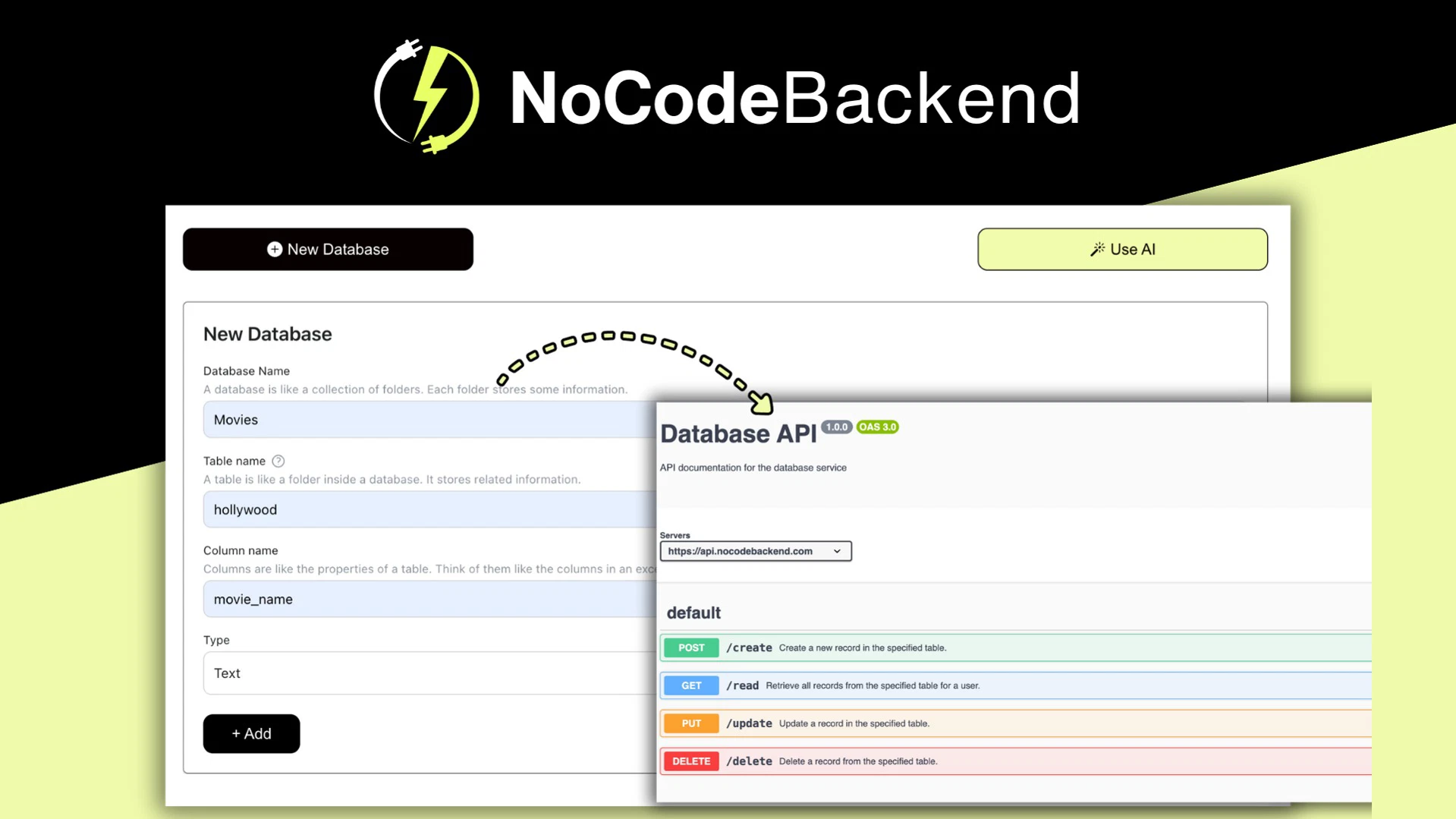
Instead of writing custom code to handle every single data entry or retrieval, an automated system generates a REST API for you. This means that as soon as you define your data fields, the backend provides the URLs and logic required for your app to talk to the database. This approach saves you hours of repetitive programming, allowing you to focus on the unique features of your application rather than the underlying plumbing.
Understanding Auto-Generated REST APIs
An API acts as a messenger that takes requests from your app, tells the database what to do, and brings the response back. In a manual setup, you have to define these routes, write the validation logic, and ensure the security protocols are correct for every single table.
With an automated system, the backend inspects your database schema and builds the CRUD (Create, Read, Update, Delete) operations automatically. In real use, this means if you add a “User Profile” table to your database, the system immediately recognizes the need for endpoints to fetch that profile, create a new one, or update an existing address. You don’t have to touch a single line of server-side code to make these functions work.
The Role of Auto-Generated Documentation
One of the most tedious parts of software development is keeping your documentation current. If your backend changes, your documentation often becomes outdated, which can confuse other developers or break your own frontend integrations.
Automated documentation solves this by creating a live, interactive reference guide that updates whenever your database structure changes. When you view this documentation, you see exactly which endpoints are available, what data format they expect, and what kind of response they will return. This is particularly helpful when you’re connecting your AI-generated frontend to the backend, as you can copy the specific API calls directly into your code.
Lifetime Access and Long-Term Utility
For many solo developers and small teams, the recurring costs of server hosting and backend-as-a-service platforms can become a burden. A lifetime access model changes the financial landscape of building software. It allows you to experiment with multiple projects or maintain a long-running app without the constant pressure of monthly subscription fees.
This model is most beneficial for those who have a clear project in mind but want to avoid the “subscription trap” that often accompanies cloud infrastructure. If you’re building a tool that you expect to iterate on over several years, having a one-time cost structure provides a predictable path for your project’s lifecycle.
Who Should Consider This Approach?
You should consider an automated backend if you’re a developer who wants to move from an idea to a deployed product in the shortest possible time. It’s an excellent choice for founders who are using AI coding tools to build internal business apps, simple marketplaces, or data-driven directories.
https://www.youtube.com/watch?v=Uifb86Z_jPM
| Feature | What It Means for You |
|---|---|
| Auto-generated APIs | You don’t have to write code to connect your database. |
| Automatic documentation | You always have a clear map of your app’s functions. |
| Lifetime access | You avoid ongoing monthly software costs for your backend. |
| AI-focused design | It works alongside your existing AI-generated code. |
This setup isn’t for everyone. If your application requires highly specific, custom server-side logic — such as complex real-time data processing, specialized encryption, or custom middleware that sits between your app and the database — you might find that an automated system feels too restrictive. You should check if the platform supports the specific database types and security protocols required by your industry, as ISO/IEC 27001 standards often dictate the level of data protection required for professional or enterprise-grade software.
Choosing the Right Backend for AI Coding Tools

The biggest mistake developers make is choosing a backend platform before understanding their app’s long-term scaling needs. If you start with a system that automates everything but doesn’t allow you to export your data or migrate to a custom server later, you may find yourself locked in. Before you commit, check the platform’s support for data exports. You want to ensure that your database remains yours, regardless of which tool you use to manage it.
Another common error is ignoring the security configuration. Even if a backend is automated, you’re still responsible for setting the permissions. Ensure the tool you choose allows you to define who can read or write to specific parts of your database. A good automated backend will give you a clear interface to toggle these permissions on and off.
Is It Safe to Rely on Automated Backend Tools?
Automated backends are generally safe for standard applications, provided you use the built-in security features correctly. They’re designed to handle common tasks like data validation and authentication using standard practices. However, you must ensure that you aren’t storing sensitive information like plaintext passwords or unencrypted personal data in your database.
You should always treat your database as a sensitive asset. Use the authentication features provided by the tool to restrict API access to your application only. If your project involves handling highly sensitive financial or medical data, you should verify if the backend provider meets the compliance standards required by your specific region or industry.
Why Does My AI Code Fail to Connect?
If your AI-generated code can’t reach your backend, the issue is often a mismatch in the endpoint URL or the authentication token. AI tools are excellent at writing the logic, but they sometimes guess the structure of your API based on common conventions.
Check your auto-generated documentation to see the exact path of the endpoint. Ensure the URL in your code matches the documentation exactly. If you’re still seeing errors, confirm that your API key is correctly included in the header of your request. These are the most common points of failure when connecting a new frontend to an automated backend.
Frequently Asked Questions

Does an automated backend limit my database choice?
Most automated backend tools work with specific supported database types. You should check the documentation of your chosen tool to see if it supports the database you intend to use. If your project requires a highly specialized or legacy database, an automated tool might not be the right fit for your needs.
Can I migrate my data later if I choose this?
You should always confirm the data export capabilities before starting a project. Most reliable platforms allow you to export your database schema and data in standard formats like JSON or CSV. This ensures that you can move your application to a different environment if your project grows beyond the tool’s capabilities.
Is this suitable for a professional enterprise app?
It depends on the requirements of your enterprise. While these tools are efficient for rapid development, enterprise apps often require custom compliance, specific hosting environments, and complex security audits. If your app must follow strict internal policies or industry regulations, you should verify that the tool meets every one of those requirements.
Do I need to know how to code to use this?
You’ll still need to integrate the generated API into your frontend code. Reading the generated documentation is a key skill for success here.
What happens if the service goes offline?
Like any cloud-based service, your app’s availability depends on the provider. You should consider whether the tool offers a way to host the backend yourself or if it provides a reliable uptime guarantee. For critical business applications, you should always have a backup plan for your data and your infrastructure.
Final Thoughts
NoCodeBackend is a practical choice for developers who want to bypass the manual setup of APIs and documentation to focus on building their core features. If you’re ready to streamline your development process and avoid recurring backend costs, you should explore the features offered by NoCodeBackend and start by mapping out your database schema to see how it fits your project.


